AI Tools
Reduce AI Coding Agent Token Usage Without Sacrificing Accuracy
Caveman is an open-source plugin that teaches AI coding agents to communicate in highly compressed style while maintaining full technical accuracy — cutting token usage by 65–75%.
S
ServexAI Team
Author
June 25, 2026
7 min read
AI coding assistants have become an essential part of modern development workflows. Whether you're using Claude Code, Cursor, Gemini, Windsurf, Copilot, or another coding agent, one common problem remains the same: excessive verbosity.
This is where Caveman comes in.
Created by Julius Brussee, Caveman is an open-source skill/plugin that teaches AI coding agents to communicate in a highly compressed style while maintaining technical accuracy. The project's philosophy is simple:
Why use many token when few token do trick?
GitHub Repository: https://github.com/JuliusBrussee/caveman
What is Caveman?
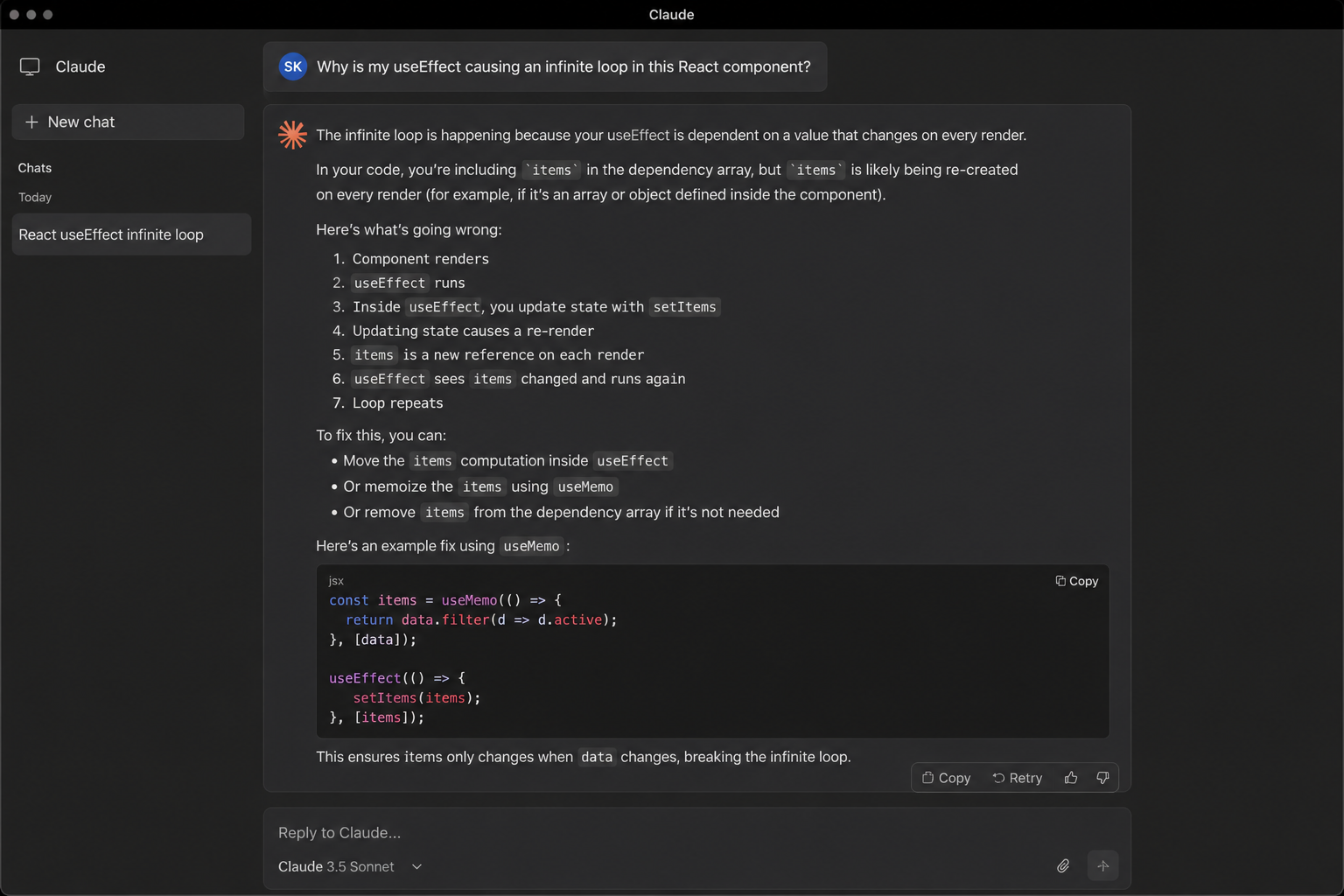
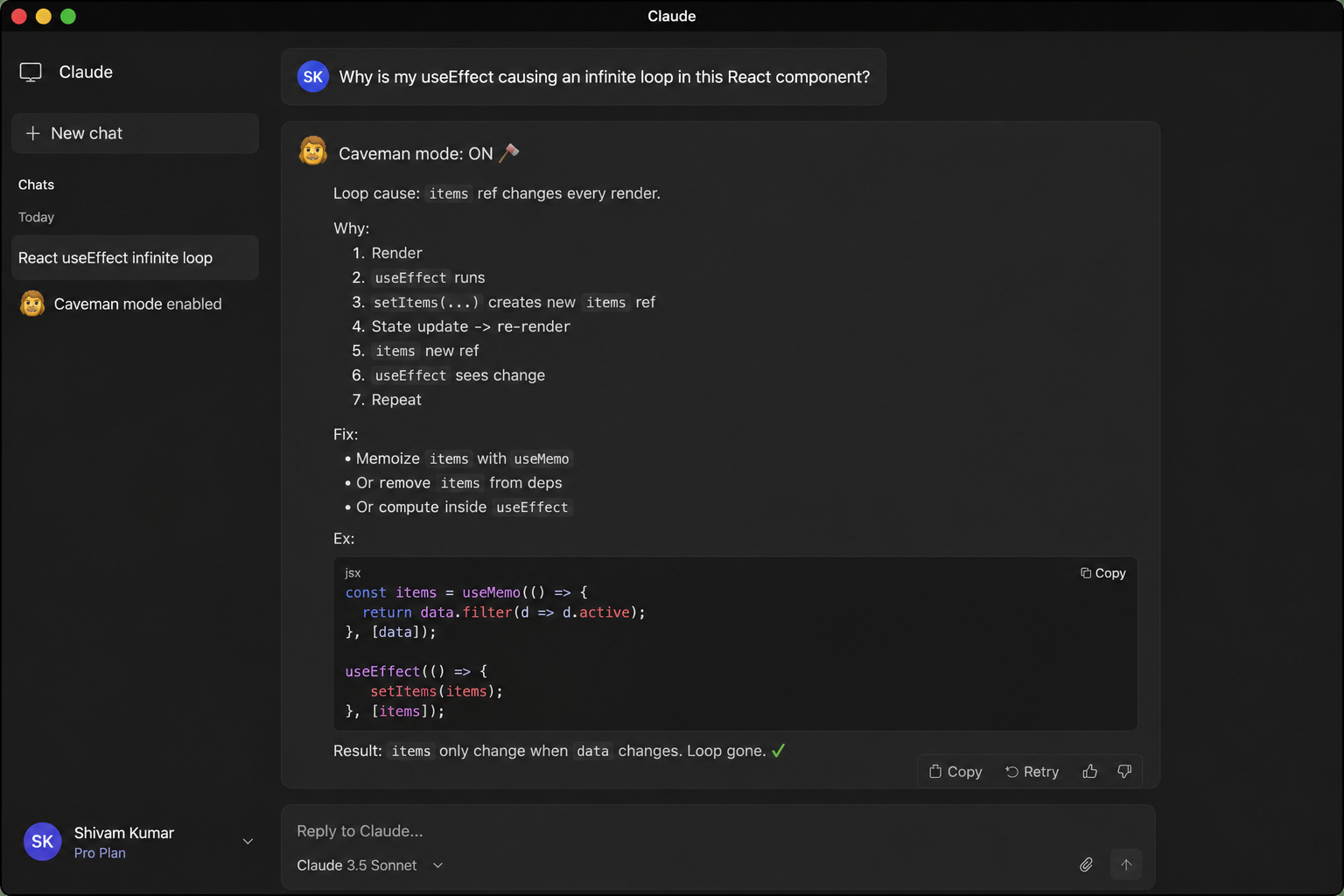
Caveman is a lightweight skill that modifies how AI coding agents communicate. Instead of generating long explanations filled with filler words and unnecessary context, the AI responds using concise, information-dense language.
For example:
Normal Response
"The reason your React component is re-rendering is likely because you're creating a new object reference on each render cycle. When you pass an inline object as a prop, React's shallow comparison sees it as a different object every time, which triggers a re-render."
Caveman Response
"New object ref each render. Inline object prop = new ref = re-render. Wrap in useMemo."
The meaning remains intact while significantly reducing token usage.
According to the repository benchmarks, Caveman can reduce output token consumption by approximately 65–75% depending on the task and workflow.
Why Use Caveman?
When working with AI coding agents for long development sessions, token consumption can become expensive and context windows can fill up quickly.
Key Benefits
- Reduced token usage
- Lower AI operating costs
- More efficient context utilization
- Faster responses
- Cleaner communication
- Works across multiple AI coding agents
Supported platforms include:
- Claude Code
- OpenAI Codex
- Cursor
- Windsurf
- Cline
- GitHub Copilot
- Gemini
- 30+ additional coding agents
Features
Caveman provides several useful commands:
1. Caveman Mode
Compresses AI responses into concise "caveman style" communication.
Available modes: Lite, Full, Ultra, Wenyan
Example: /caveman full
2. Caveman Commit
Generates short and clean Conventional Commit messages.
/caveman-commit
3. Caveman Review
Produces concise pull request review comments.
Example: L42: bug. user null. add guard.
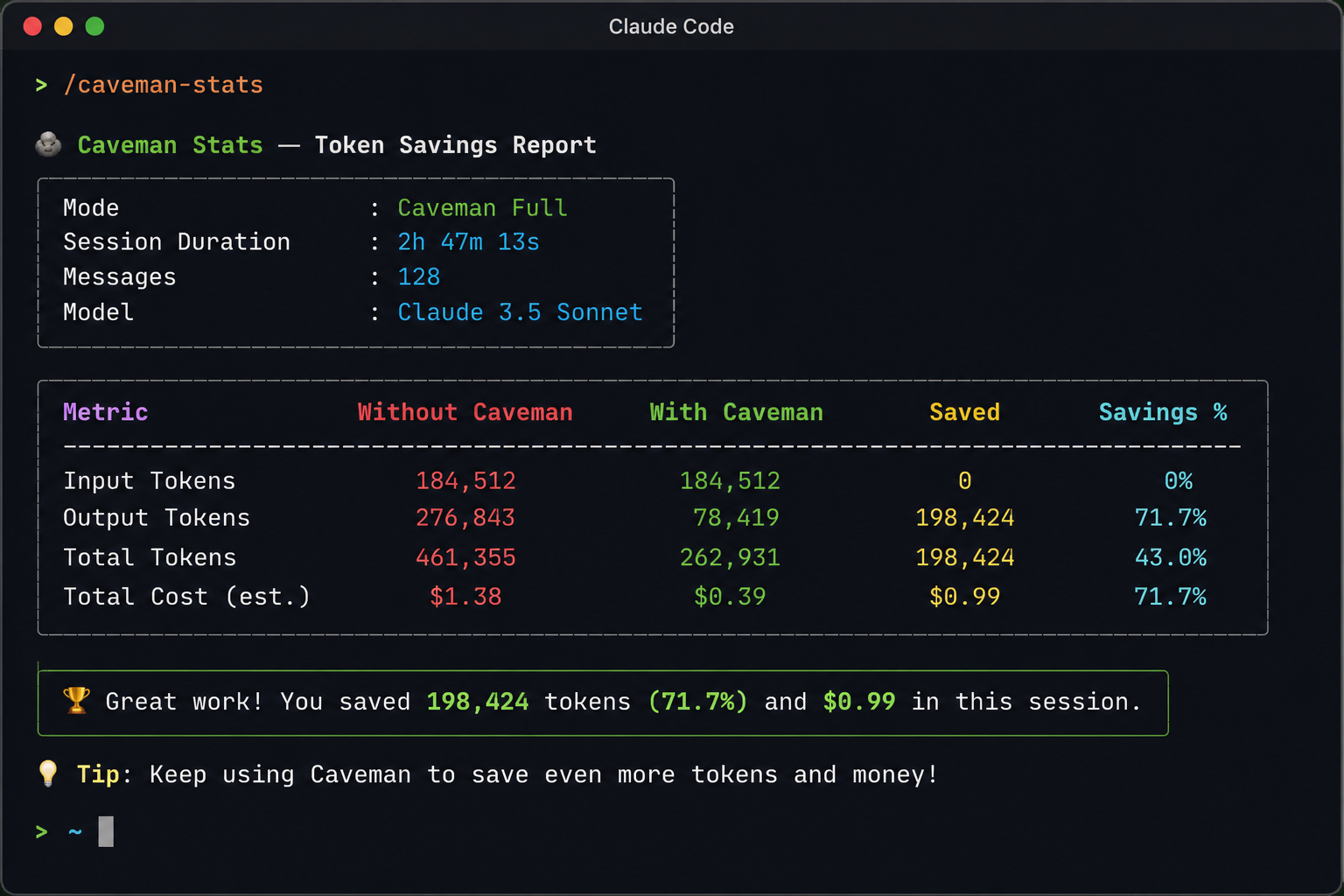
4. Caveman Stats
Displays token savings achieved during your session.
/caveman-stats
5. Caveman Compress
Compresses context files such as CLAUDE.md, project notes, and memory files to reduce prompt size before the session begins.
Installation
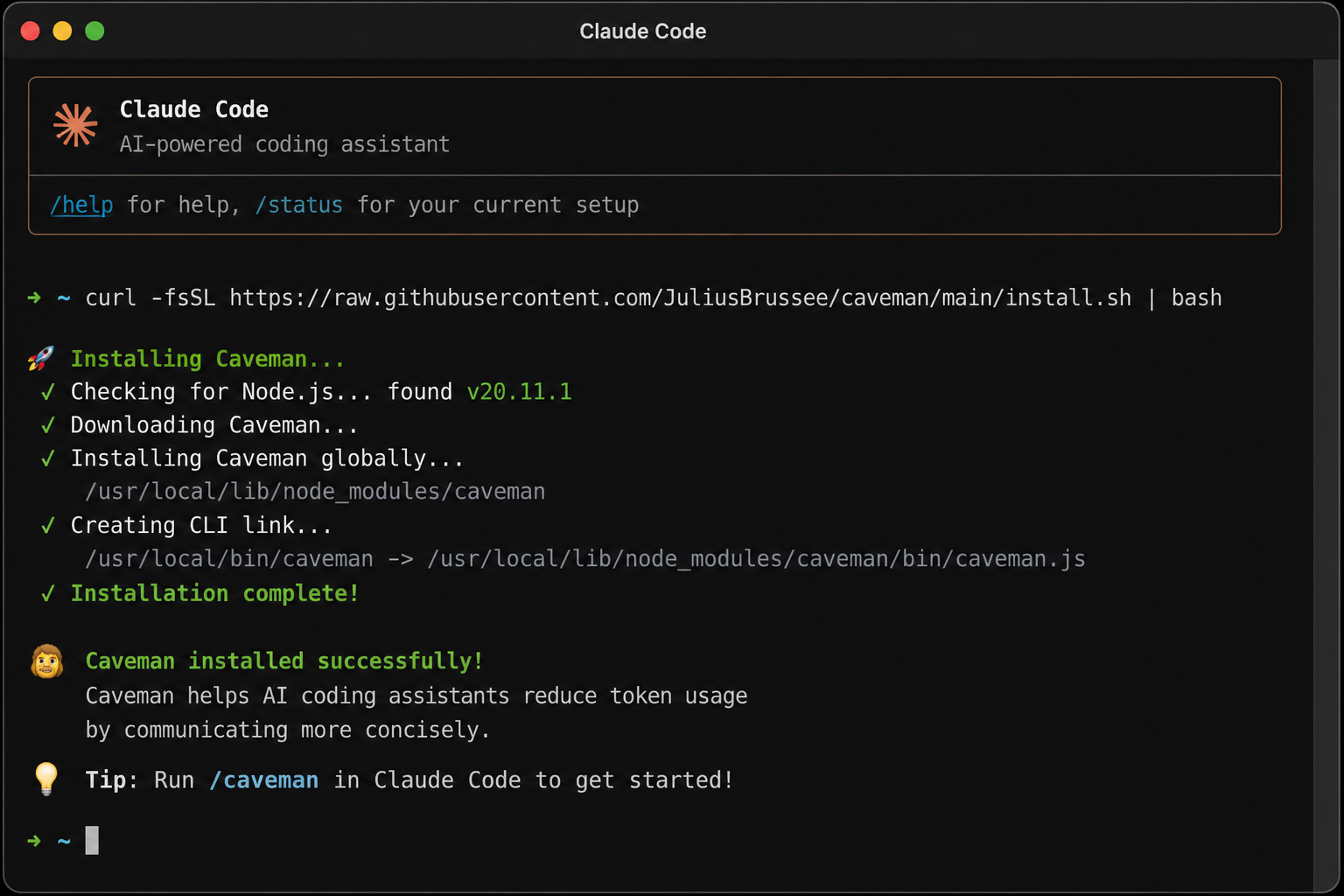
Step 1: Install Caveman
For macOS, Linux, WSL, or Git Bash:
curl -fsSL https://raw.githubusercontent.com/JuliusBrussee/caveman/main/install.sh | bash
For Windows PowerShell:
irm https://raw.githubusercontent.com/JuliusBrussee/caveman/main/install.ps1 | iex
Requirements: Node.js 18 or later
Using Caveman with Claude Code
After installation, open Claude Code and activate Caveman:
/caveman
You can also ask: Talk like caveman
Once activated, Claude begins responding in compressed format.
Real-World Usage
I primarily used Caveman with Claude Code while working on development tasks and code reviews.
The biggest improvements I noticed were:
Less Noise
Responses became more focused on actionable information.
Better Context Efficiency
Long coding sessions consumed fewer tokens, helping preserve context.
Faster Reading
Important information became easier to identify without reading large paragraphs.
For debugging sessions and implementation tasks, this significantly improved the overall workflow.
How Caveman Works
The concept is surprisingly simple.
Caveman injects instructions that teach the AI to:
- Remove filler language
- Use sentence fragments when appropriate
- Prioritize information density
- Keep technical accuracy intact
- Avoid unnecessary explanations
Rather than changing the model itself, Caveman changes how the model communicates. This makes it lightweight, portable, and compatible with many AI coding tools.
Things to Keep in Mind
While Caveman is extremely useful, it may not be ideal for every scenario.
Potential limitations include:
- New users may find responses too terse.
- Detailed documentation tasks may require normal mode.
- Some workflows benefit from richer explanations.
Fortunately, you can switch between Caveman mode and normal mode whenever needed.
Conclusion
Caveman is one of the simplest yet most effective productivity enhancements available for AI coding agents today.
By reducing verbosity without sacrificing technical accuracy, it helps developers:
- Save tokens
- Reduce costs
- Preserve context windows
- Improve communication efficiency
If you're spending significant time with Claude Code, Cursor, Codex, or other AI coding assistants, Caveman is definitely worth trying.
Repository: https://github.com/JuliusBrussee/caveman
Star the project if it helps your workflow and contributes to more efficient AI-assisted development.